
Our Recommendation
Maroc Telecom
Choose if: you’re doing a desert tour, crossing the Atlas, or going to Merzouga/Zagora. Widest national network. ~30–50 MAD for 5–10 GB.
Orange Morocco
Choose if: staying in cities and coast. Strong 4G, competitive bundles, good app. ~30–40 MAD for 5–10 GB.
eSIM (any provider)
Choose if: you want data the second you land. No store visit. ~€5–15 for 3–10 GB. Top up via app. Pricier per GB.
Inwi
Choose if: budget-conscious and staying in cities. Competitive pricing. Weaker in remote/rural areas than Maroc Telecom.
Operator Comparison — With Prices
| Operator | Tourist Pack | Price (MAD) | Price (€) | Coverage | Best For |
|---|---|---|---|---|---|
| Maroc Telecom | 5 GB / 7 days | ~30 MAD | ~€3 | ⭐⭐⭐⭐⭐ | Atlas, Sahara, road trips |
| Maroc Telecom | 10 GB / 30 days | ~50 MAD | ~€5 | ⭐⭐⭐⭐⭐ | 2+ week trips |
| Orange | 5 GB / 7 days | ~30 MAD | ~€3 | ⭐⭐⭐⭐ | Cities & coast |
| Orange | 10 GB / 30 days | ~50 MAD | ~€5 | ⭐⭐⭐⭐ | Extended stays |
| Inwi | 5 GB / 7 days | ~25 MAD | ~€2.50 | ⭐⭐⭐ | Budget urban |
| Inwi | 10 GB / 30 days | ~45 MAD | ~€4.50 | ⭐⭐⭐ | Budget extended |
| eSIM (intl.) | 3–5 GB / 7 days | — | ~€5–10 | Varies | Instant data, no store |
| eSIM (intl.) | 10 GB / 30 days | — | ~€10–15 | Varies | Convenience, pre-arrival |
Prices are approximate and change seasonally. Buy in city stores for the best rates — airport kiosks charge 20–40% more for the same data.
eSIM vs Physical SIM
? eSIM (Digital)
• Buy and activate before you land
• Instant data on touchdown
• No store visit, no passport needed
• Keep your physical SIM in place
• Easy top-ups via app
• Pricier per GB (~€5–15)
• Requires iPhone XS+ or recent Android
• Some plans restrict hotspot
? Physical SIM (Local)
• Best value per GB (~30–50 MAD)
• Wide choice of bundles
• Staff help with setup + APN
• Strong coverage with right operator
• Requires passport + store visit
• Airport prices higher than city
• Must track tiny SIM + tray pin
• Works on any unlocked phone
Coverage by Region
| Region | Coverage | Speed | Notes |
|---|---|---|---|
| Cities (Marrakech, Fes, Casablanca, Rabat, Tangier) | ⭐⭐⭐⭐⭐ | 4G / strong | All operators excellent. Medina walls may weaken indoor signal. |
| Coast (Essaouira, Agadir, El Jadida) | ⭐⭐⭐⭐ | 4G / good | All operators work well. |
| Atlas Mountains (Tizi n’Tichka, Imlil, Ouirgane, Ourika) | ⭐⭐⭐ | 3G–4G / patchy | Gaps on winding passes. Maroc Telecom strongest. Download offline maps. |
| Pre-Sahara (Ouarzazate, Dades, Todgha, Tinghir) | ⭐⭐⭐ | 3G–4G / intermittent | Towns have signal. Gorges and valleys have gaps. |
| Sahara (Merzouga, Erfoud, Rissani, Zagora, M’hamid) | ⭐⭐ | 3G / weak | Villages OK. Dunes/camps: little to no signal. Camp Wi-Fi for messaging. |
| Intercity highways | ⭐⭐⭐⭐ | 4G / decent | Not continuous. Download playlists/podcasts in advance. |
Where to Buy: Airport vs City
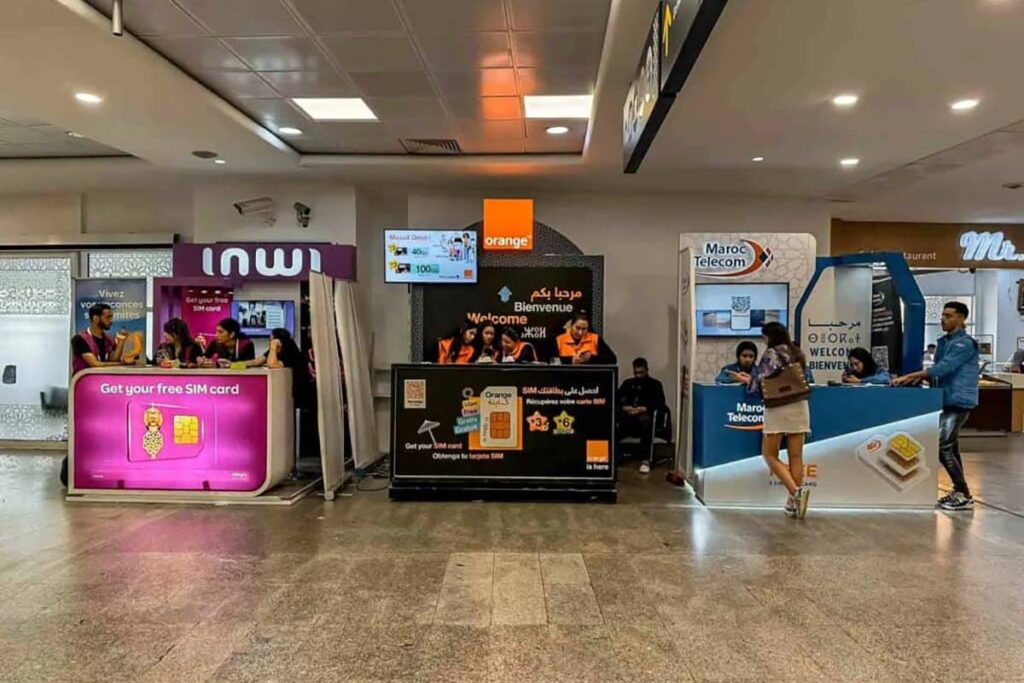
City stores (recommended): Better prices, more plan options, staff can troubleshoot. Look for branded Maroc Telecom, Orange, or Inwi stores in any mall or main street. Marrakech: Gueliz area has all three within walking distance.
Airport kiosks: Convenient after a long flight but pricier. Available at Marrakech RAK, Casablanca CMN, Fes FEZ, Tangier TNG, Agadir AGA. Late-night availability not guaranteed.
At the counter: Bring your passport (mandatory registration). Ask the clerk to insert, activate, configure APN, and run a speed test before you leave. Photograph the SIM sleeve (ICCID) and receipt.
How Much Data Do You Need?
| Usage Pattern | GB / Week | Recommended Pack |
|---|---|---|
| Maps + messaging only | 3–5 GB | 5 GB / 7 days (~30 MAD) |
| Maps + social + email + booking apps | 6–10 GB | 10 GB / 7–14 days (~50 MAD) |
| Video calls + heavy social (IG/TikTok) | 10–15 GB | 20 GB / 30 days (~80 MAD) |
| Hotspot for laptop + phone | 15–25 GB | 30+ GB bundle (~100–150 MAD) |
Step-by-Step Setup
iPhone (Physical SIM or eSIM)
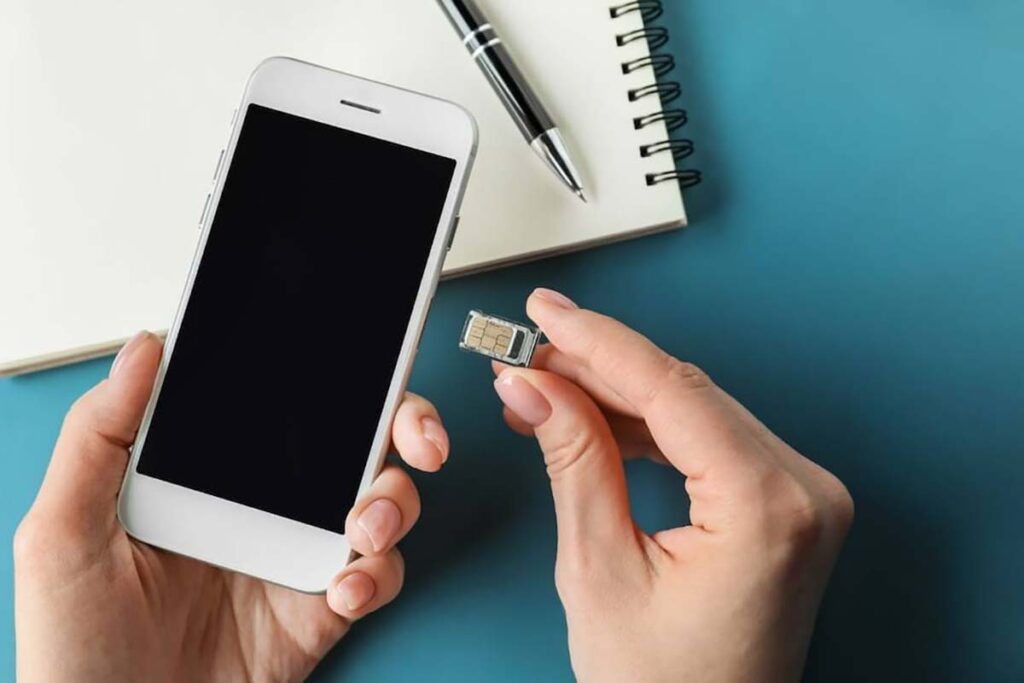
1. Insert SIM or scan eSIM QR (Settings → Cellular → Add eSIM). 2. Set new line as Cellular Data (keep home line for calls/WhatsApp). 3. Enable Data Roaming for the Moroccan line. 4. If no data: Cellular → Cellular Data Network → enter APN from the store. 5. Toggle Airplane Mode on/off, test browser.
Android
1. Insert SIM or add eSIM (Settings → Network → SIMs). 2. Set Moroccan line as Preferred for Mobile Data. 3. Enable Data Roaming. 4. If needed: Access Point Names (APN) → add operator APN. 5. Toggle airplane mode, test.
Hotspot
iPhone: Settings → Personal Hotspot. Android: Settings → Hotspot & Tethering. Test in store — some entry-level packs throttle or block hotspot. Upgrade one tier if tethering is essential (~10–20 MAD more).
Keep Your WhatsApp Number
The key rule: Do NOT re-verify WhatsApp with your Moroccan number. Keep your home SIM active (dual-SIM) and use the Moroccan line for data only.
iPhone: Settings → Cellular → set Moroccan line as Cellular Data, home line as Default Voice. Android: Settings → SIMs → Moroccan SIM preferred for data, home SIM for calls.
Bank OTP codes: If your bank sends SMS to your home number, keep that line active. Or set up app-based authentication (Google Authenticator, banking app) before travel.
Troubleshooting
No data: Check Moroccan line is selected for data. Toggle Data Roaming ON. Reset APN to default then re-enter operator APN. Toggle airplane mode.
Slow speeds: Peak-time congestion in popular areas. Try off-peak, move outdoors. Check if you hit a throttle/fair-use cap — buy an add-on.
Calls/SMS not working: Many tourist packs are data-only by default. If you need minutes, buy an add-on (~5–10 MAD). Check Preferred SIM for Calls in settings.
Lost SIM: Visit a branded store with passport to re-issue. eSIM: check if provider app allows re-download; otherwise buy a new profile.
Safety & Scams to Avoid
Buy from branded stores only — unofficial resellers charge “tourist tax.” Ensure SIM is registered in your name — the clerk should scan your passport and show your number on screen. Don’t overpay for upsells — ask for the cheapest plan that fits your data needs. Test before leaving — load a webpage, check maps, run a hotspot test.
What to Bring — Quick Checklist
Unlocked phone (confirm before travel) · Passport (mandatory for SIM registration) · eSIM QR saved offline (screenshot + PDF) · SIM ejector pin (or paperclip) · Power bank (long drives drain batteries) · Offline maps downloaded for Atlas, desert, and intercity routes. Full travel packing list: What to Pack for a Morocco Desert Tour.
Best coverage: Maroc Telecom — essential for Atlas and Sahara routes.
Best value: Orange — strong in cities, competitive bundles from 30 MAD.
Fastest: eSIM — buy before flight, data on landing. €5–15.
Buy in city stores — 20–40% cheaper than airports.
You need: unlocked phone + passport. Download offline maps regardless.